How AI QR Codes Work: The Technology Behind Artistic Scannable Codes
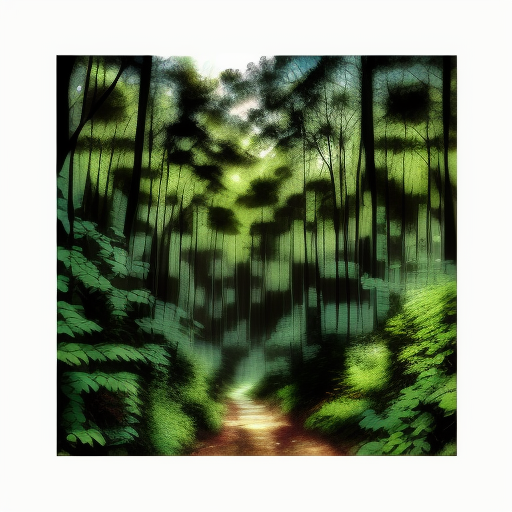
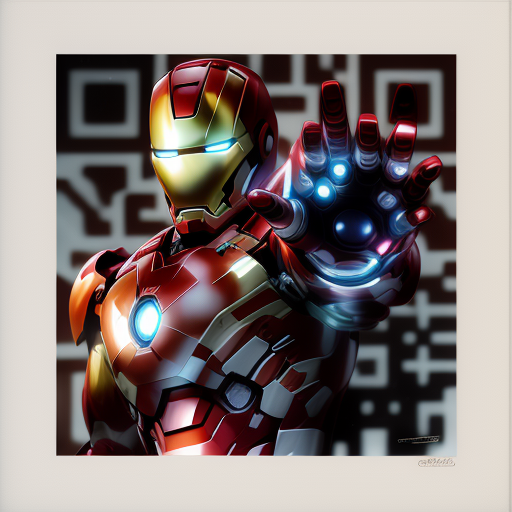
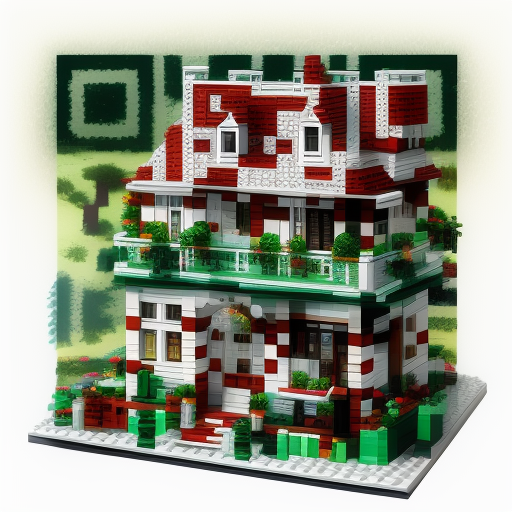
You've seen them: QR codes that look like paintings, photographs, or abstract art—yet somehow your phone still scans them perfectly. How is this possible? The answer lies in a breakthrough AI technique called ControlNet. Let's dive deep into the technology that makes scannable art a reality.
The Core Challenge: Art vs Functionality
Traditional QR codes are boring for a reason: they're optimized for maximum scan reliability. The stark black-and-white pattern creates the high contrast that camera sensors love. The chunky squares and structured layout make pattern detection foolproof.
Making them "pretty" usually means making them unscannable. Add gradients? Scanner confused. Blend into artwork? Pattern lost. Use organic shapes? Structure broken.
For years, the best we could do was add a logo in the center (thanks to error correction) or change colors slightly. Real customization seemed impossible.
The AI Breakthrough: ControlNet
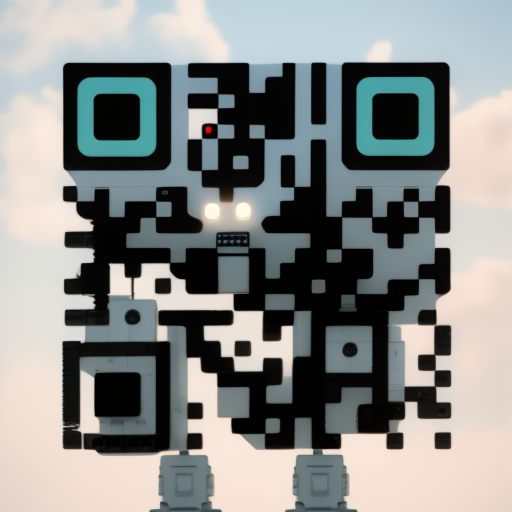
Everything changed with ControlNet, a neural network architecture developed by Lvmin Zhang and Maneesh Agrawala at Stanford University in early 2023. Their paper "Adding Conditional Control to Text-to-Image Diffusion Models" introduced a revolutionary concept: guiding AI image generation with structural constraints.
Think of it like this: traditional AI image generation (Stable Diffusion, DALL-E, etc.) takes a text prompt and creates an image from scratch. ControlNet adds an additional input—a control image—that tells the AI: "Whatever you create, maintain this structural pattern."
🧠 How ControlNet Works: The 4-Step Process
Base QR Pattern Generation
First, we generate a standard QR code with Level H error correction (30% redundancy). This is crucial—it means up to 30% of the QR code can be "damaged" or modified while still remaining scannable.
This base QR code becomes our "control image"—the structural guide that must be preserved.
ControlNet Layer Injection
ControlNet works by creating a parallel copy of Stable Diffusion's U-Net architecture and injecting the QR pattern information at multiple layers.
This teaches the model: "Whatever image you create, respect this underlying pattern structure. Dark areas should stay roughly dark, light areas should stay roughly light."
Artistic Generation with Constraints
Stable Diffusion generates an image based on your prompt ("forest landscape", "abstract art", etc.) while respecting the QR pattern as a structural constraint.
The magic is in the balance: too much constraint and you get an ugly QR code with slight coloring. Too little constraint and it becomes unscannable art. The sweet spot creates beautiful art that maintains scan reliability.
QR Monster LoRA Enhancement
QR Monster is a specialized LoRA (Low-Rank Adaptation) model trained specifically on thousands of scannable QR art examples.
It fine-tunes the output to maximize both aesthetics AND scannability by learning patterns like: darker corners (where QR positioning patterns are), maintaining sufficient contrast, preserving critical data regions.
The Key Parameters That Make It Work
Creating scannable AI QR codes isn't just about running ControlNet—it's about tuning dozens of parameters. Here are the critical ones:
QR Conditioning Scale (1.0 - 2.0)
This controls how strongly ControlNet enforces the QR pattern structure.
- Too low (0.8 - 1.0): Beautiful art, but won't scan
- Sweet spot (1.3 - 1.8): Artistic yet scannable
- Too high (1.9 - 2.0): Scannable but ugly, basically a colored QR code
We typically use 1.5 - 1.6 for optimal balance.
CFG Scale (Classifier Free Guidance) (7 - 10)
Controls how closely the AI follows your text prompt.
- Lower (4 - 6): More creative, less prompt adherence
- Sweet spot (7 - 9): Balanced creativity and prompt following
- Higher (10 - 15): Literal interpretation, can look artificial
For QR codes, 7.5 - 9 works best to maintain artistic feel while respecting prompts.
Denoising Steps (20 - 30)
Number of iterations the AI takes to refine the image.
- Too few (<15): Noisy, undefined, poor quality
- Optimal (20 - 30): Clean, detailed, professional
- Too many (>40): Diminishing returns, just slower
We use 25 steps as the standard—enough for quality without wasting time.
Error Correction Level (M, Q, H)
How much redundancy is built into the base QR code.
- Level L: 7% correction—won't work for artistic QR
- Level M: 15% correction—marginal for simple designs
- Level Q: 25% correction—works for moderate artistic styles
- Level H: 30% correction—required for heavy artistic modification
We always use Level H for maximum artistic freedom while maintaining scannability.
What Your Phone Actually Sees
Here's the fascinating part: what humans see and what QR scanners see are different. Camera sensors detect luminance (brightness) more than color. This is why AI QR codes work:
👁️ What Humans See:
- • Vibrant colors
- • Artistic details
- • Textures and patterns
- • Visual storytelling
- • Brand aesthetics
📱 What Scanners See:
- • Light vs dark contrast
- • Edge detection patterns
- • Positioning markers (corners)
- • Alignment patterns
- • Data module structure
As long as the ControlNet process maintains sufficient contrast in the underlying pattern—even if it's a forest scene or abstract art—the QR scanner can extract the data.
The Role of Stable Diffusion Models
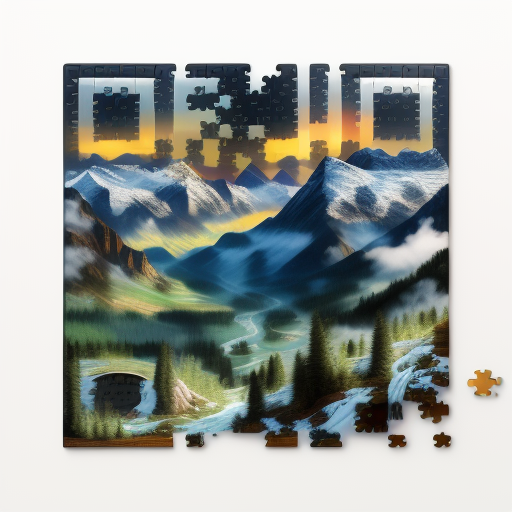
ControlNet doesn't work alone—it guides Stable Diffusion, the underlying text-to-image AI model. The choice of Stable Diffusion checkpoint affects the artistic style:
SD 1.5 (Original)
Best for: Realistic photography, landscapes, portraits. More stable, fewer artifacts.
DreamShaper
Best for: Artistic illustrations, fantasy art, vibrant colors. Popular for QR codes because it balances realism and artistic style.
Realistic Vision
Best for: Photorealistic results, product photography, architectural renders. Higher detail but harder to maintain QR scannability.
Anything V5
Best for: Anime/manga style, character art. Very stylized but can struggle with QR pattern preservation.
We primarily use DreamShaper 8 because it offers the best balance of artistic quality and ControlNet compatibility for QR code generation.
Why Some Prompts Work Better Than Others
Not all prompts create equally scannable QR codes. Through testing thousands of generations, we've identified patterns:
✅ High Success Prompts:
- • "Forest landscape" - Natural contrast variation
- • "Abstract geometric patterns" - Compatible with QR structure
- • "Stained glass window" - Clear boundaries, high contrast
- • "Food photography" - Natural highlights and shadows
- • "Architectural blueprint" - Lines don't conflict with QR pattern
- • "Impressionist painting" - Texture without fine detail loss
❌ Challenging Prompts:
- • "Solid black background" - No contrast variation possible
- • "Extremely detailed mandala" - Interferes with QR pattern
- • "Blurred bokeh" - Loses critical sharpness
- • "Very dark gothic scene" - Insufficient contrast for scanners
- • "Pure white minimalism" - No dark elements for QR pattern
- • "Extreme close-up faces" - Features conflict with QR structure
Advanced Technique: Img2Img QR Generation
There's an even more powerful technique: instead of just using a text prompt, you can provide a reference image. The AI blends your brand imagery with the QR code pattern.
How Img2Img QR Works:
- 1.Upload your brand image (logo, product photo, brand pattern)
- 2.The AI analyzes the image colors, composition, and style
- 3.ControlNet applies the QR pattern constraint
- 4.Result: QR code that looks like YOUR specific image, not generic art
Example: A coffee brand uploads their package design. The AI creates a QR code that maintains the coffee beans, colors, and logo placement—but with QR functionality embedded.
Technical Limitations & Trade-offs
AI QR codes aren't magic—there are inherent trade-offs in the technology:
🎨 Aesthetics vs Scannability
More artistic freedom = slightly lower scan reliability. We target 99%+ scan rate, but achieving 99.9% (traditional QR) requires aesthetic compromise.
⏱️ Generation Time
Traditional QR: instant. AI QR: 15-30 seconds per code. The AI computation isn't trivial—each generation requires GPU processing.
📏 Data Capacity
Traditional QR codes can hold 4,296 alphanumeric characters. AI QR codes work best with URLs under 100 characters to maintain artistic quality. Longer data requires more QR modules, limiting artistic freedom.
💡 Lighting Sensitivity
AI QR codes maintain the same lighting requirements as traditional QR codes—adequate lighting with minimal glare. The artistic rendering doesn't add extra sensitivity.
The Future of AI QR Technology
The field is evolving rapidly. Here's what we're working on and what's coming next:
🎬 Animated QR Codes
Early experiments show animated QR codes are possible—the challenge is maintaining scannability across every frame. Imagine a QR code that subtly shifts colors or has gentle motion.
🔄 Multi-Destination QR Codes
Different regions of the QR code could link to different destinations. Scan the top-left corner for Instagram, bottom-right for the menu, center for contact info.
🎯 Context-Aware Generation
AI that automatically adjusts QR artistic style based on where it will be used (print vs digital, indoor vs outdoor, product vs marketing material).
📐 Non-Square QR Codes
Research into rectangle, circle, and custom-shaped QR codes while maintaining scan reliability. Current standard is always square—but that might change.
🧬 Brand DNA Extraction
Upload 3-5 brand images and the AI extracts your "brand DNA"—colors, patterns, style—to generate perfectly on-brand QR codes automatically.
How We Optimize for Reliability
At AI QR Codes, we don't just generate and hope. Every code goes through optimization:
Our 5-Step Quality Process:
- 1Initial Generation: Create AI QR with optimized parameters
- 2Contrast Enhancement: Algorithmically boost critical contrast regions
- 3Corner Reinforcement: Ensure positioning markers (corners) maintain maximum clarity
- 4Edge Sharpening: Enhance module boundaries without destroying artistic quality
- 5Multi-Device Testing: Test on multiple phone cameras and QR apps to ensure reliability
The Bottom Line: Art Meets Engineering
AI QR codes represent a rare convergence: artistic AI (Stable Diffusion) meets structural constraint (ControlNet) meets information encoding (QR standards). Each component is sophisticated on its own—combining them requires careful balance.
The technology enables something that seemed impossible just two years ago: QR codes that are genuinely beautiful, brand-aligned, and Instagram-worthy—while maintaining the 99%+ scan reliability businesses require.
As AI models improve and ControlNet techniques advance, the gap between "artistic" and "functional" will continue to close. We're just at the beginning of this revolution.
Want to Stay Updated?
AI QR technology evolves quickly. We regularly publish deep dives on new techniques, model improvements, and case studies.
Ready to Try AI QR Codes?
You don't need to understand the technology to use it. Start creating stunning, scannable QR codes in seconds with our AI-powered generator. No design skills required—just enter your link and describe what you want to see.